Play list
(Redirected from Playlist)
A MusiCAD play-list is shown as column of buttons at the left of the MusiCAD window.
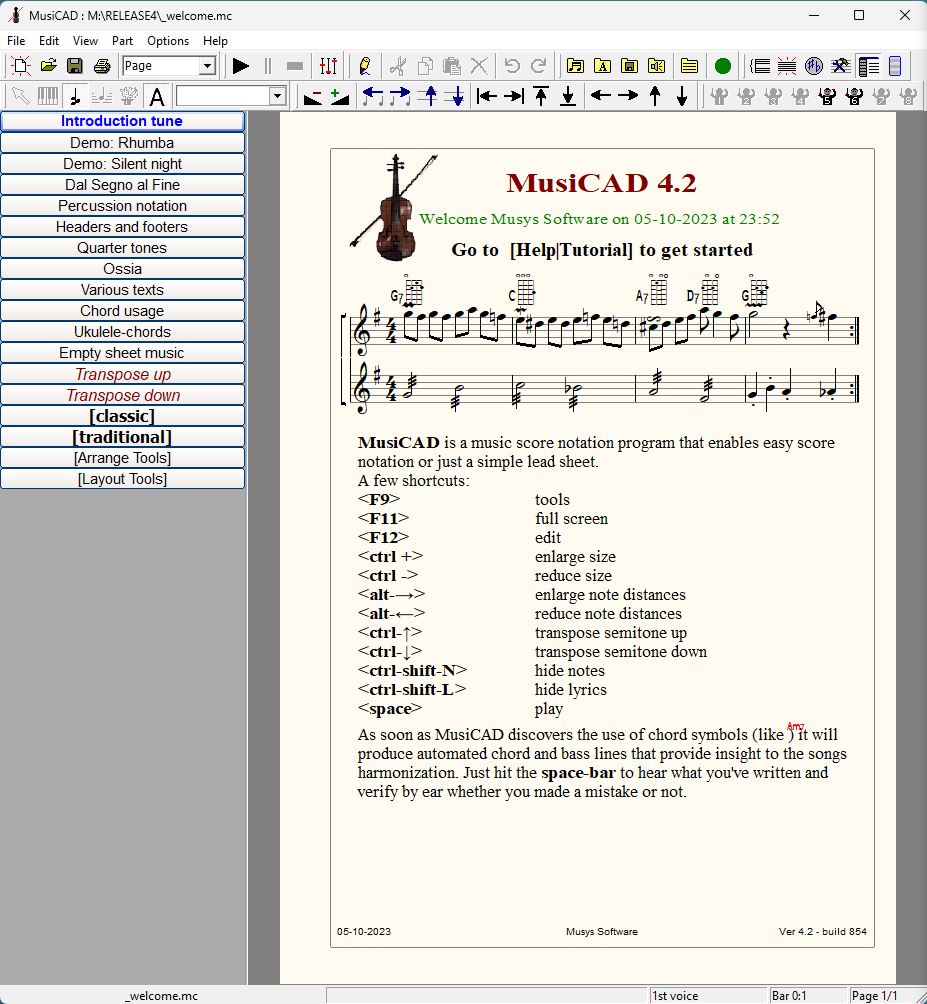

Each button on the play-list represents a MusiCAD-file, be it a tune, another play-list (bold, between brackets), a toolbox or a template (italic).
The currently opened file is shown as bold-blue.
A special kind of play-list is the toolbox, also available with <F9>
A play-list is opened just like any other music file.
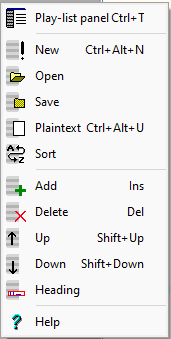
The context menu for the play-list shows the main features:
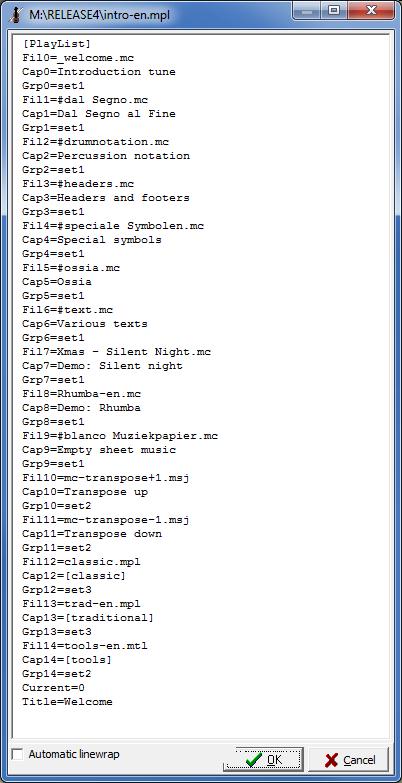
A MusiCAD play-list is a text file in ini-format describing each button with 3 parameters:
| Fil# | File name |
| Cap# | Caption |
| Grp# | Grouping |
See also